how it works
From the first signal to your next step.
See how your nights, meals and workouts connect. Six ways to understand your everyday health, in one app.

Reading your signals
what you see
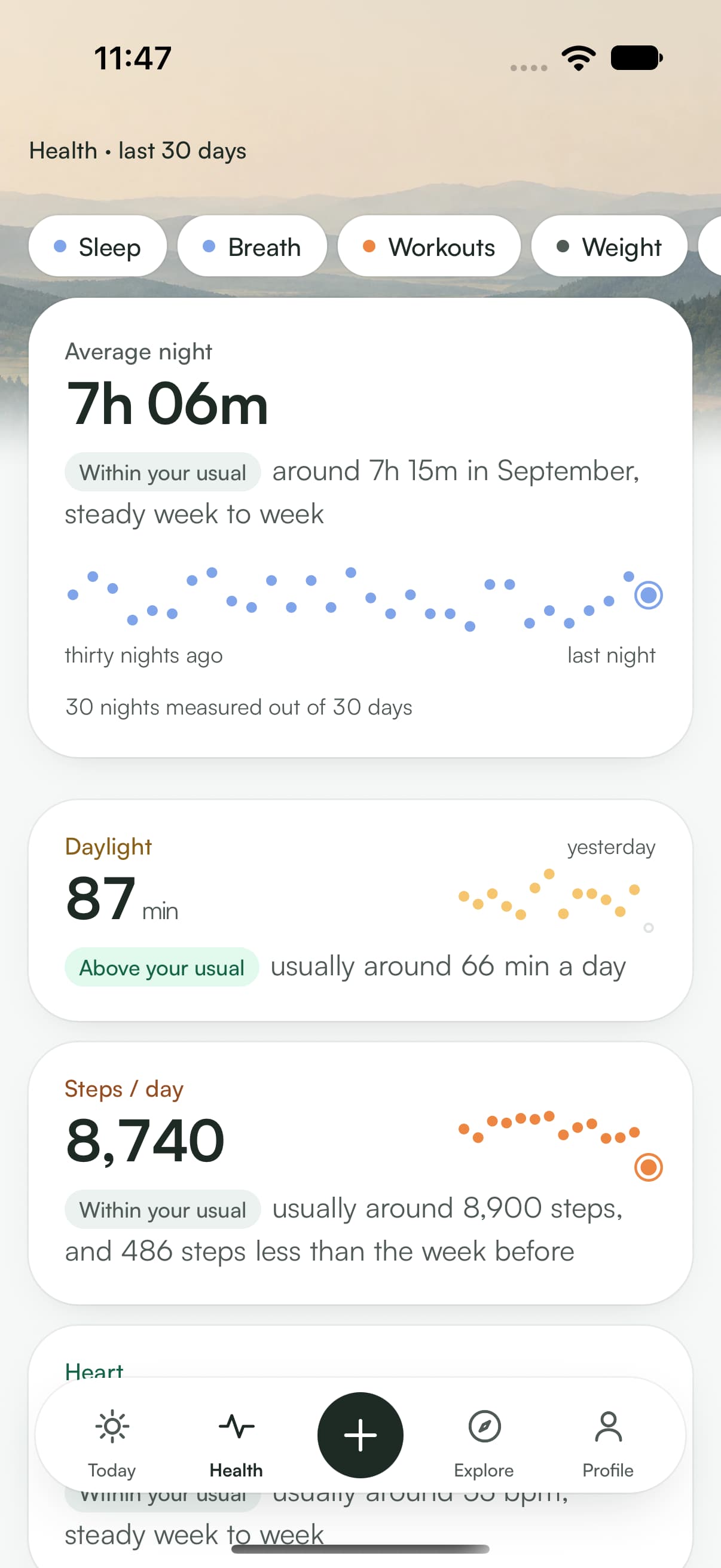
One number per signal (average night, resting heart rate, heart rate variability, steps, weight), and under each number a plain sentence that says whether it’s high, low, or within your baseline.
Calculations and your data, in detail
what the app does
- It asks Apple Health for the categories you allow, and nothing more.
- It calculates your median over the chosen window, then places today’s value against it.
- It counts the days actually measured. If four nights out of thirty are missing, it says so instead of smoothing over the gap.
- It picks the matching sentence and shows it after a sage dot.
reading this card
- The sage dot
- introduces a reading: a sentence written by the app, not raw data.
- Empty circles
- are nights without a measurement. No value is invented in their place.
- Dot size
- carries the value: the bigger the dot, the longer the night.
Asking a question
what you see
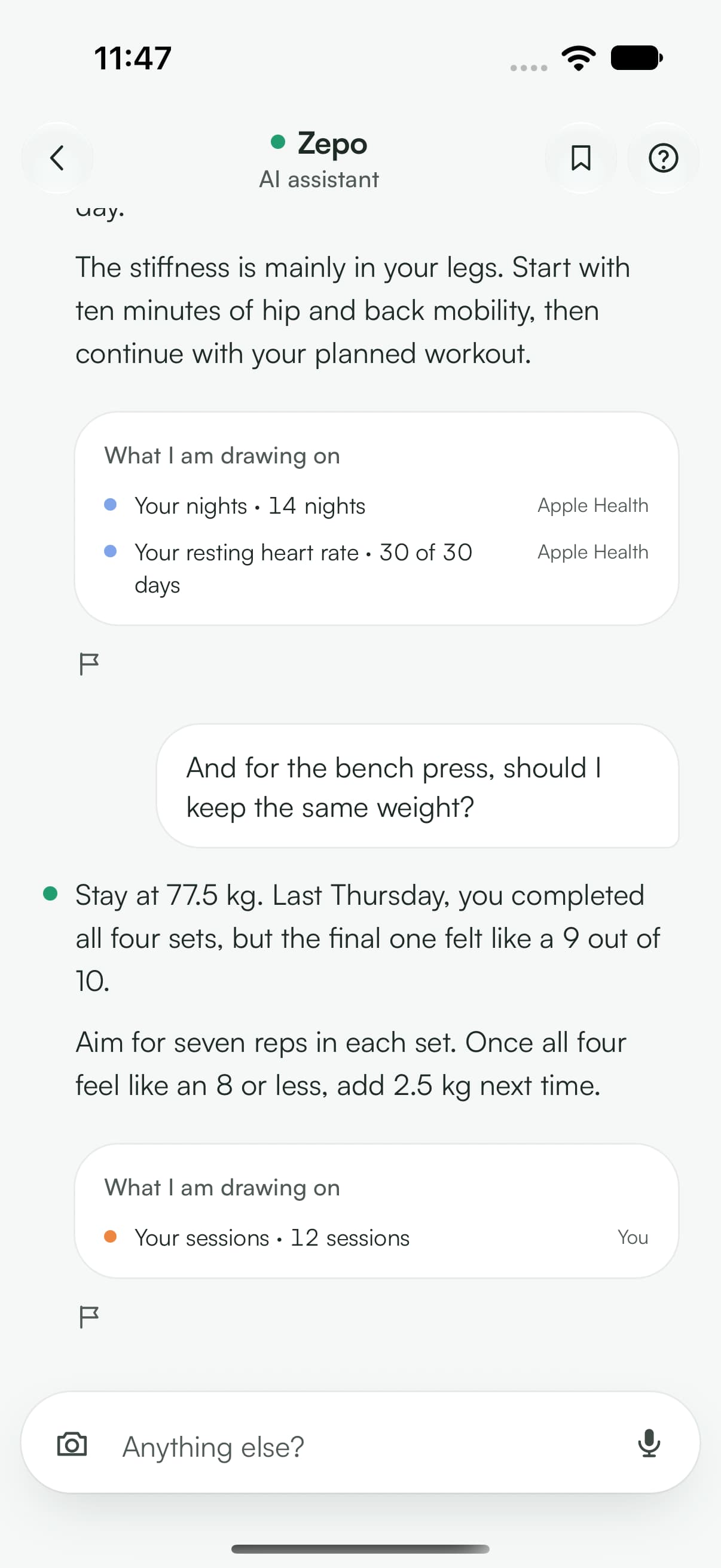
A conversation with Zepo, reserved for Premium. You type, dictate or photograph; it answers in text and can attach a card (a session, a recipe, a program) that you apply in one gesture.
Calculations and your data, in detail
what the app does
- Your measurements do not leave until you switch Zepo on, on a sheet that says who receives them and names each category of measurements involved. You switch it off in Profile, Privacy and your data.
- With each message, it sends to a third-party artificial intelligence service, which acts on our behalf and processes the data in the European Union: your message and your photos; your profile (first name, age, sex, height, subscription, goal, level, training preferences); your sessions and your log for the last ninety days, including the sport sessions you log by hand, and your sessions from an earlier period if you name it; and the log of your last seven days drawn from your log and your meals, with the time your last meal was logged.
- If you switched Zepo on, it adds a summary of your last thirty days, limited to the measurements named in the wording you accepted (your nights, their duration and, when your watch stages them, their stages, the cycles the app counts from them, time awake and awakenings longer than five minutes, with sleep efficiency and time to fall asleep when your bedtime is known, computed on your phone; your heart, your cardio capacity, the effort of your sessions, your steps, your weight, your daily check-in), and, with recent versions of the app, what the app concludes from them, such as your form of the day. The stages, cycles, time awake and awakenings of your nights only leave once you have accepted the wording that names them, in the new version of the app: an older wording, even one that names your nights, only covers their duration. With the wording that names them, it also adds your sport sessions of the last fourteen days, read from your health app (sport, time, duration, distance, pace, heart rate and time in each zone), their last four weeks, and, in the log of the last seven days, each night with the time you fell asleep and woke up.
- It shows the answer and, underneath, the data it leans on: you can check.
- If the answer contains an action, that action becomes an applicable card, not an instruction to copy out.
what leaves, and what stays
- What this service keeps.
- It keeps a request only if its automated abuse filters flag it: then for up to ninety days, in the European Union, solely to examine it. It does not use your requests to train its models.
- What we keep.
- We do not keep your conversations: your messages and Zepo’s answers stay on your phone. An answer you report is kept for the time it takes to review it, six months at most. Your Sunday letter is saved with your account, with what it says about your nights if you switched Zepo on (their average length and the two longest) and the number of training days your watch recorded with no session logged in the app. A letter you keep stays there until you switch Zepo off; the others are deleted after eight weeks.
- What never leaves.
- Your body composition, your activity minutes as numbers and your Recovery score out of a hundred.

Logging a set
what you see
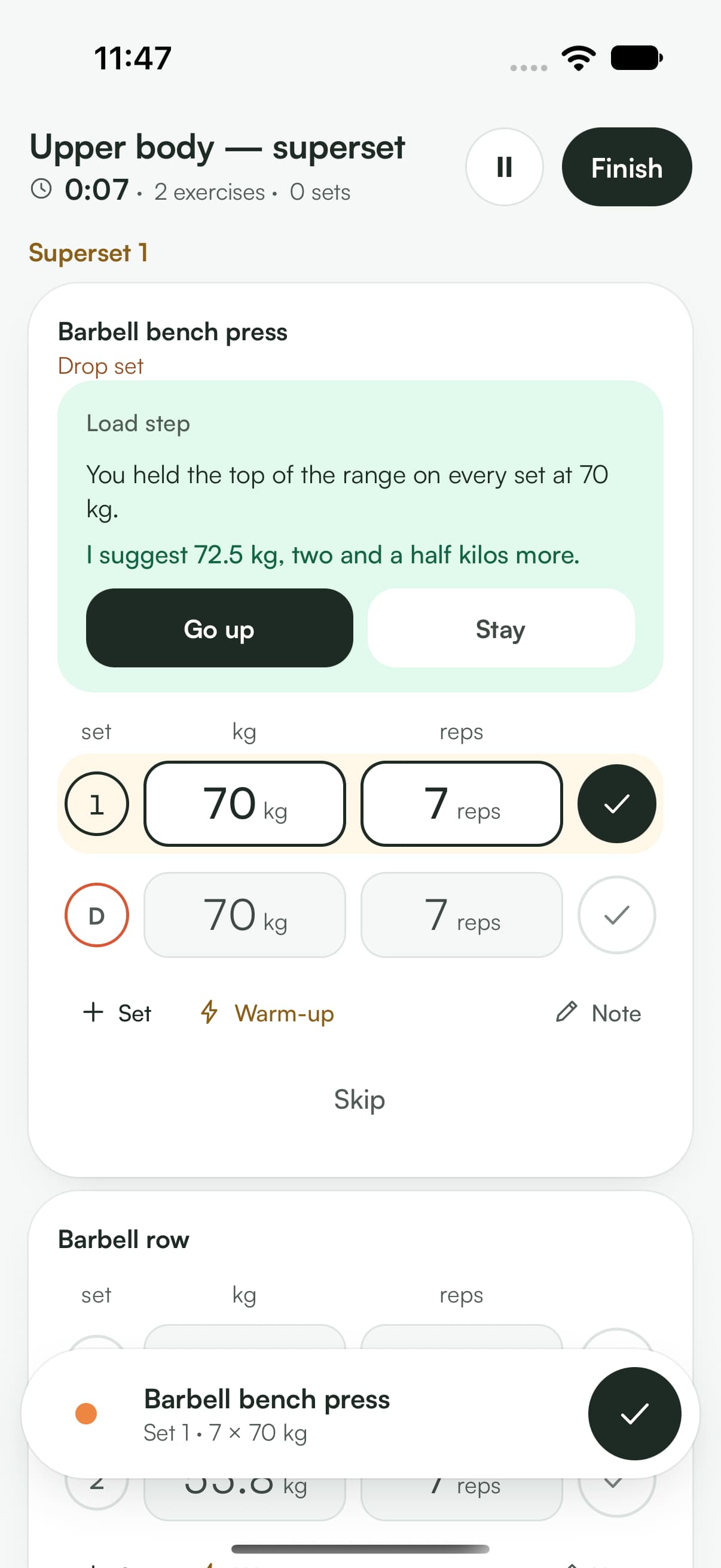
Your exercise, its prescription and your sets. Adjust weight and repetitions in each row, then confirm. Start rest when you choose. On Apple Watch, your session and rest timer stay within reach.
Calculations and your data, in detail
what the app does
- It pre-fills your sets using the program prescription and your last session.
- You confirm; the set is timestamped and joins your history.
- Start the rest timer with a tap, using the duration planned for this exercise.
- On the next set, it applies the program’s rule: if you reached the top of the range at the right effort, it suggests the next weight up.
effort levels
- Easy
- you had several reps left in the tank.
- Just right
- two or three reps in reserve.
- Hard
- one rep in reserve, the bar slows down.
- To failure
- the last rep didn’t go up.

Filling your plate
what you see
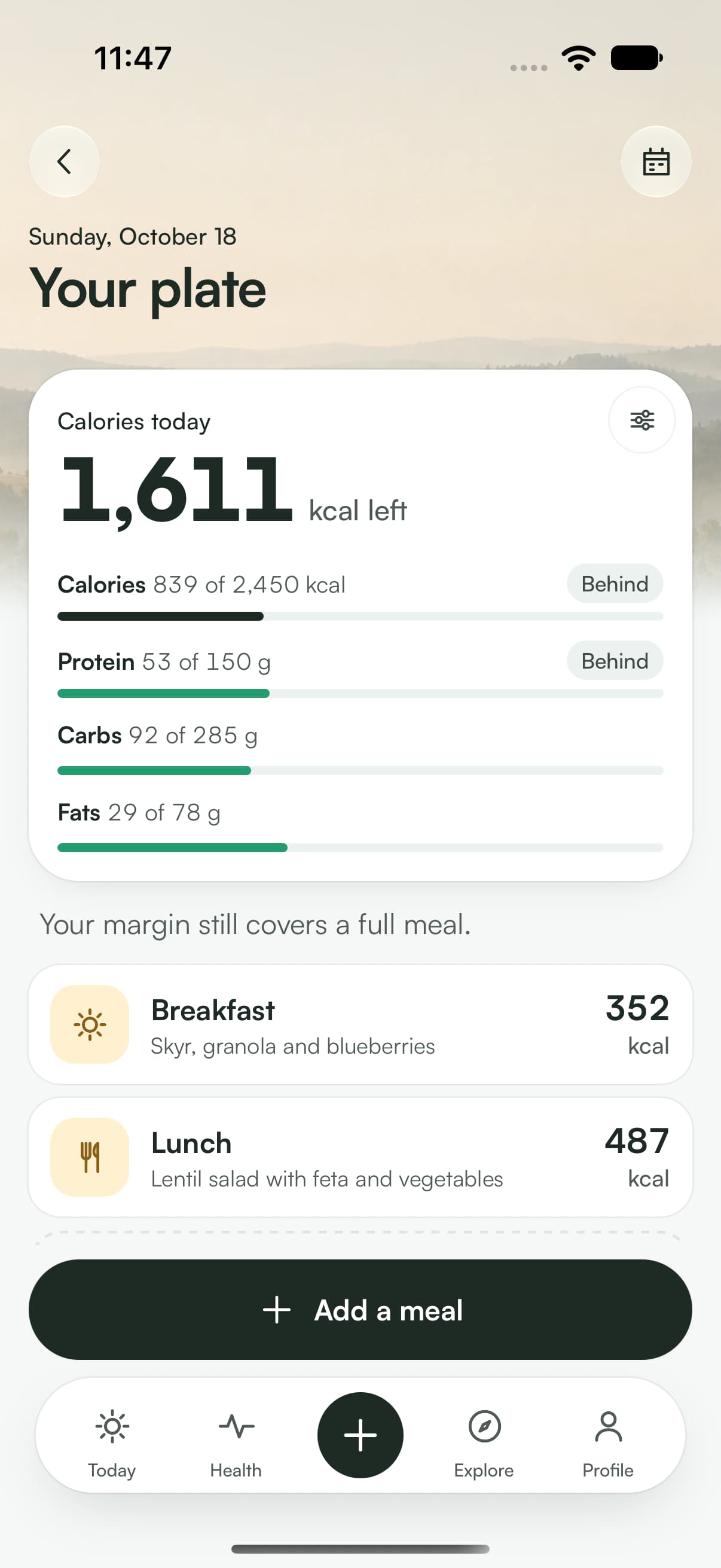
Your daily calories and macros, water, then meals by time of day. Every entry updates the totals.
Calculations and your data, in detail
what the app does
- You choose the input: a photo of the plate, a few spoken words, free text, or a barcode.
- It recognizes the foods and suggests portions, which you correct in one tap.
- It adds up the macros and recalculates the rest of the day.
- It compares against the day’s target, pro-rated to the time of day, and says whether you’re on pace, ahead or behind.
what the estimate is worth
A photo gives a ballpark figure, useful for a weekly trend. A barcode reads the values on the package: it’s the precise route when available.

Finding a movement
what you see
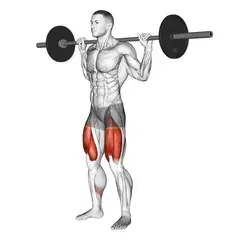
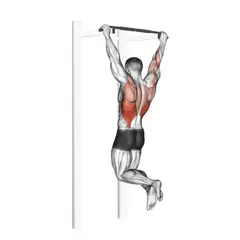
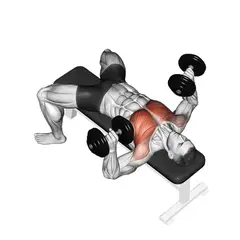
Body areas, each with its number of exercises and a representative illustration. Open an area to see the full list, filterable by equipment. Mobility movements and guided breathing are also available in Explore.
Calculations and your data, in detail
what the app does
- Each exercise has a drawn illustration: starting position, path, target muscle.
- Grouping follows the movement, not the name: a pull-up and a lat pulldown live in the same place.
- From the exercise page, you can start a free set or swap the exercise into today’s workout.

Following a program
what you see
The active program at the top, its weeks as markers, and the days as tabs. Under the chosen day, the progression rule and the workout’s progress.
Calculations and your data, in detail
what the app does
- You pick a program from the library (gym, home, outdoor) or have Zepo generate one from your constraints.
- Weeks are periodized: volume and intensity build up, then a deload week brings them down.
- Each day has its progression rule, and that rule decides when the weight goes up.
- An archived program keeps its whole history: reactivating it picks up where you left off.
progression rules
- Double progression
- first add reps within the range, then add weight once you hit the top.
- Load progression
- reps stay fixed; the weight goes up as soon as effort allows.
- Deload week
- reduced volume for a week to let fatigue come down.


glossary
The words the app uses
- Reading
- The sentence the app writes under a number. It places the value against your baseline, and nothing else.
- Your norm
- Your personal median over the displayed window. Never a population average.
- Measured day
- A day where the data actually exists. The others stay empty, and the app says so.
- Perceived effort
- Your rating of the set, on four levels: easy, just right, hard, to failure.
- Double progression
- Add reps up to the top of the range, then add weight.
- Periodization
- How the weeks are organized: accumulation, then a deload week.
- Deload week
- A reduced-volume week, built into the program, to let fatigue come down.
- Guided / free workout
- Guided: the app suggests the program’s order and weights. Free: you log whatever you want.
- Local storage
- Your watch measurements are stored in the app, on your device, and uninstalling the app erases them. Once Zepo is switched on, a summary of them is sent so that it can answer you. Your conversations with Zepo also stay on your phone. Your steps, weight and sessions are hosted in your Zepraug space, as are your Sunday letters, which can then quote your nights and the days your watch recorded a session.